AI agents for document and intake processing
The honest position: an enormous amount of professional work is a person reading information from one place and typing it into another. Document agents remove the typing and add the validation nobody had time to do.
Last updated:
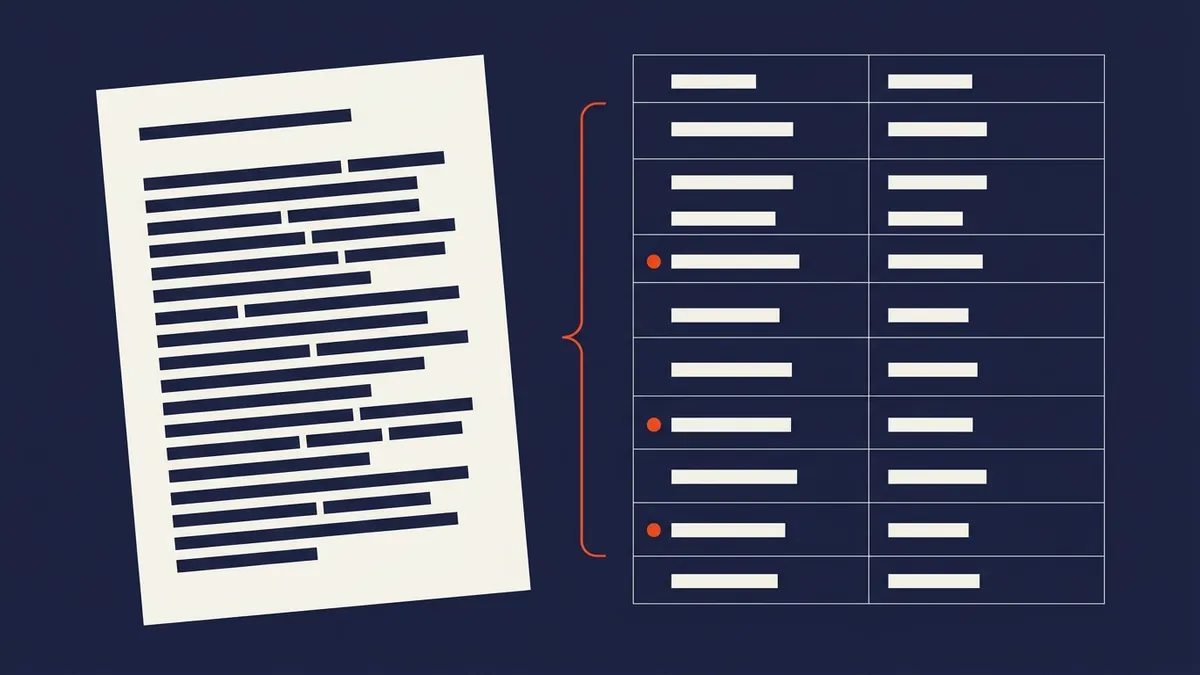
What this actually looks like today
An application, claim, invoice, permit or referral arrives as a PDF, an email attachment, a scan, or a photo taken on someone’s phone.
A person opens it, reads it, decides whether it’s complete, chases what’s missing, and re-keys it into your system. Errors enter here. Then it queues for review, and the reviewer spends most of their time on submissions that were never complete enough to review.
What the agent does
- Trigger. A document arriving through any channel — email, portal, upload, scan, photo.
- Reasoning. Extracts the fields that matter, validates against your rules, checks completeness, cross-references existing records, and identifies conflicts or duplicates.
- Action. Writes structured data into your system of record, attaches the source, and either routes for review or requests the missing information directly from the sender.
- Escalation. Anything ambiguous, conflicting or outside normal parameters goes to a human with the specific issue highlighted rather than the whole document dumped.
Traditional vs agent-augmented
| Stage | Today | With an agent |
|---|---|---|
| Extraction | Manual reading and re-keying | Automatic |
| Completeness check | At review, if at all | At intake |
| Chasing what’s missing | Manual, delayed | Immediate, automatic |
| Duplicate detection | Rarely | Always |
| Reviewer workload | Everything | Only what needs judgement |
| Error rate | Human transcription | Validated at entry |
Where we’ve built this
- Insurance & Claims — claim intake, coverage validation, document completeness
- Legal — matter intake and document review
- Accounting — client document chasing and reconciliation prep
- Public Sector — permit and application intake with pre-review completeness checks
- Construction — submittal pre-check against specification
Systems we integrate with
- Practice and case management: major legal, accounting and claims platforms with API access
- ERP and finance: SAP, Dynamics, Xero, MYOB, QuickBooks, NetSuite
- Document sources: email, SFTP, portals, scanners, mobile capture
- Storage: SharePoint, Google Drive, Dropbox, document management systems
How we de-risk it
- Extraction confidence is visible. Every extracted field carries a confidence score, and low-confidence fields are flagged for human verification rather than silently accepted.
- Validation rules are yours and auditable. No black-box acceptance decisions.
- Source documents are always attached. Every structured record links back to what it came from, which is what makes this defensible in an audit or a dispute.
- The agent never approves. It extracts, validates, chases and routes. Approval authority stays with your people.
Frequently asked questions
Does it work on bad scans and phone photos?
Usually, and it tells you when it can’t rather than guessing. Poor-quality source material is exactly what we test during shadow mode using your actual document mix.
What about handwriting?
Variable. Structured handwritten forms work reasonably; free-form handwriting is unreliable and we’d flag that honestly in the audit rather than promise it.
How is this different from OCR we already have?
OCR reads characters. An agent understands what the document is, which fields matter, whether it’s complete, whether it conflicts with what you already hold, and what to do about it.
Can it request missing information itself?
Yes, and this is usually the largest time saving — the chase is more expensive than the extraction. You control the tone and escalation path.
Work out what this is costing you
The calculator takes ten inputs and shows the payback band. It won’t tell you whether your systems permit the integration — that’s what the audit tests.